Counter Rental · Software for Odoo 18, 19 and 20
Which equipment hasn't come back? See it at a glance.
Counter Rental turns the Odoo point of sale into a rental counter. The clerk types the number written on the item. The system finds the rate, prints the contract and tracks the return. For skis, bikes, kayaks and tools.
Available Free module on the Odoo App Store, for Odoo 18, 19 and 20. See the listing · User guide
The problem
A notebook won't tell you what's missing
Odoo handles sales. It doesn't know that “this ski went out with these boots until Tuesday”. Without a tool, a rental shop tracks its fleet in a notebook or a spreadsheet.
Equipment goes missing
Nobody notices an item never came back, until the end-of-season inventory.
Late returns get forgotten
Prices are worked out in your head, and late days slip under the radar at return time.
ID details lie around
Credit card and driver's licence numbers jotted down anywhere, in a spreadsheet or on a corner of the desk.
At the counter
Three steps, even for a seasonal employee
Two buttons are added to the Odoo point of sale: Rental and Rental return. Everything else follows from the number written on the item.
1
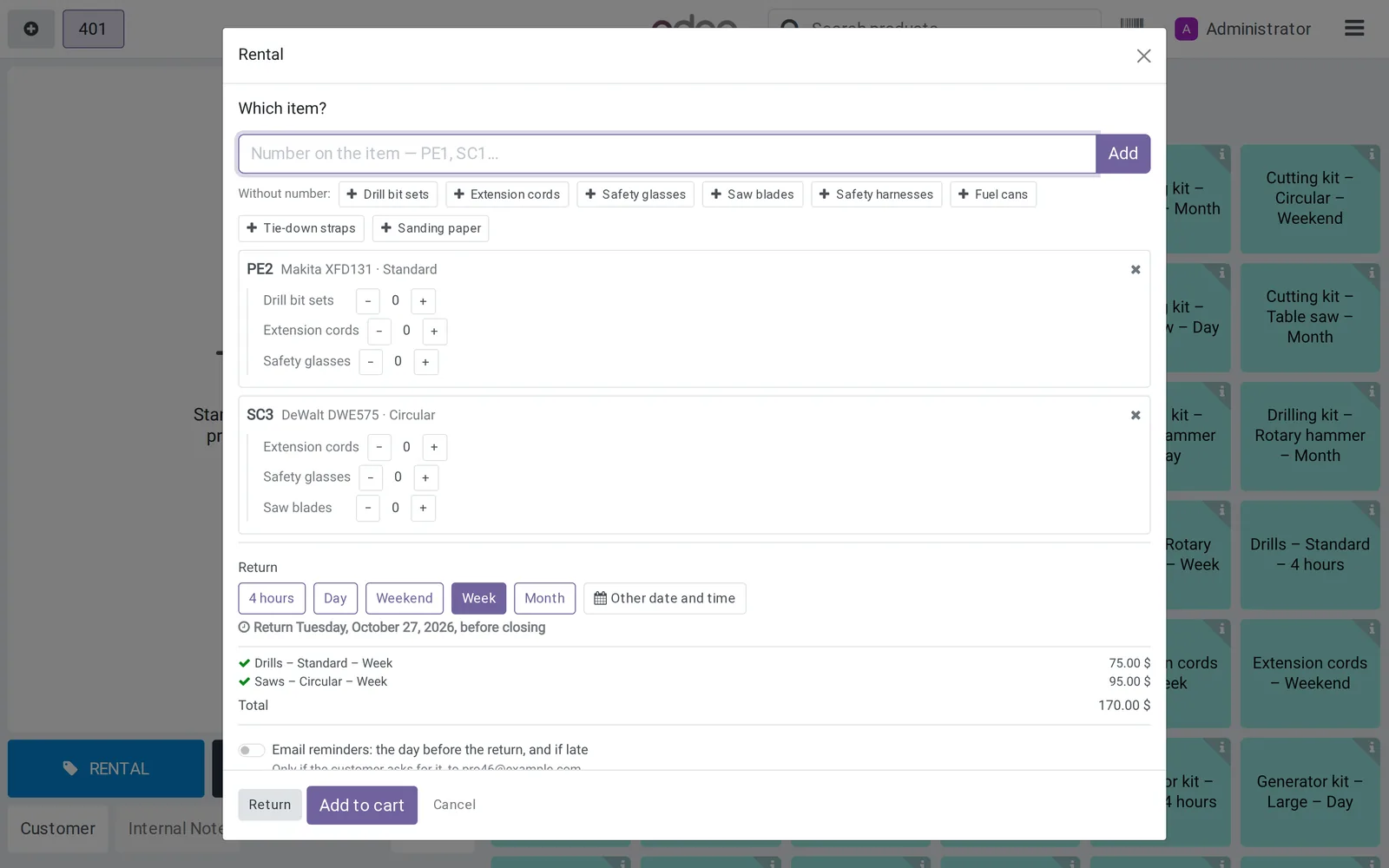
Rent it out
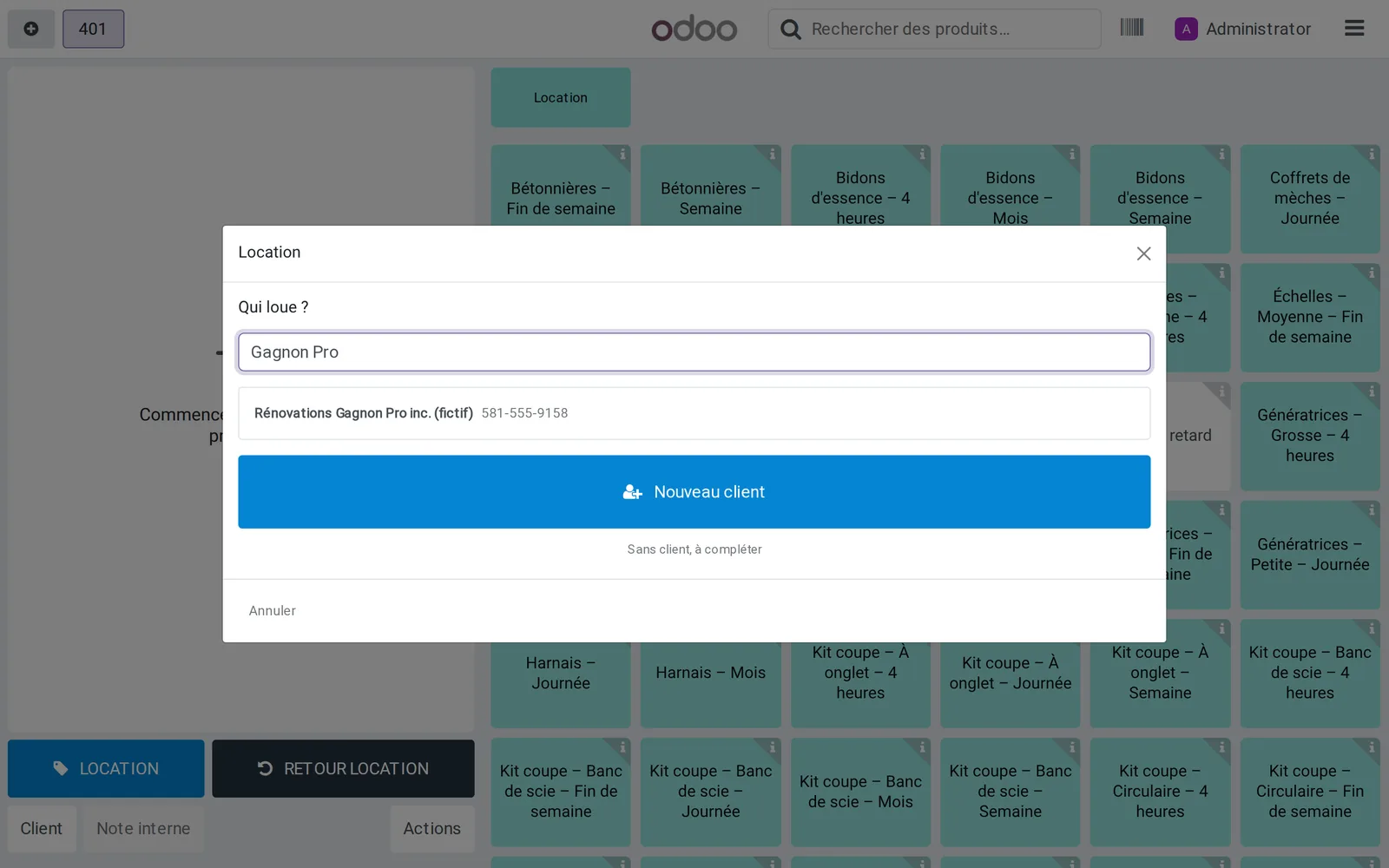
- The customer, by name or phone number.
- The number written on the item, such as
PE2. - The return, for example 4 hours, day, weekend, week, month or end of season: you choose your durations.
The system picks the lowest total, package or per item. Unnumbered accessories, such as life jackets or extension cords, are rented by quantity.
2
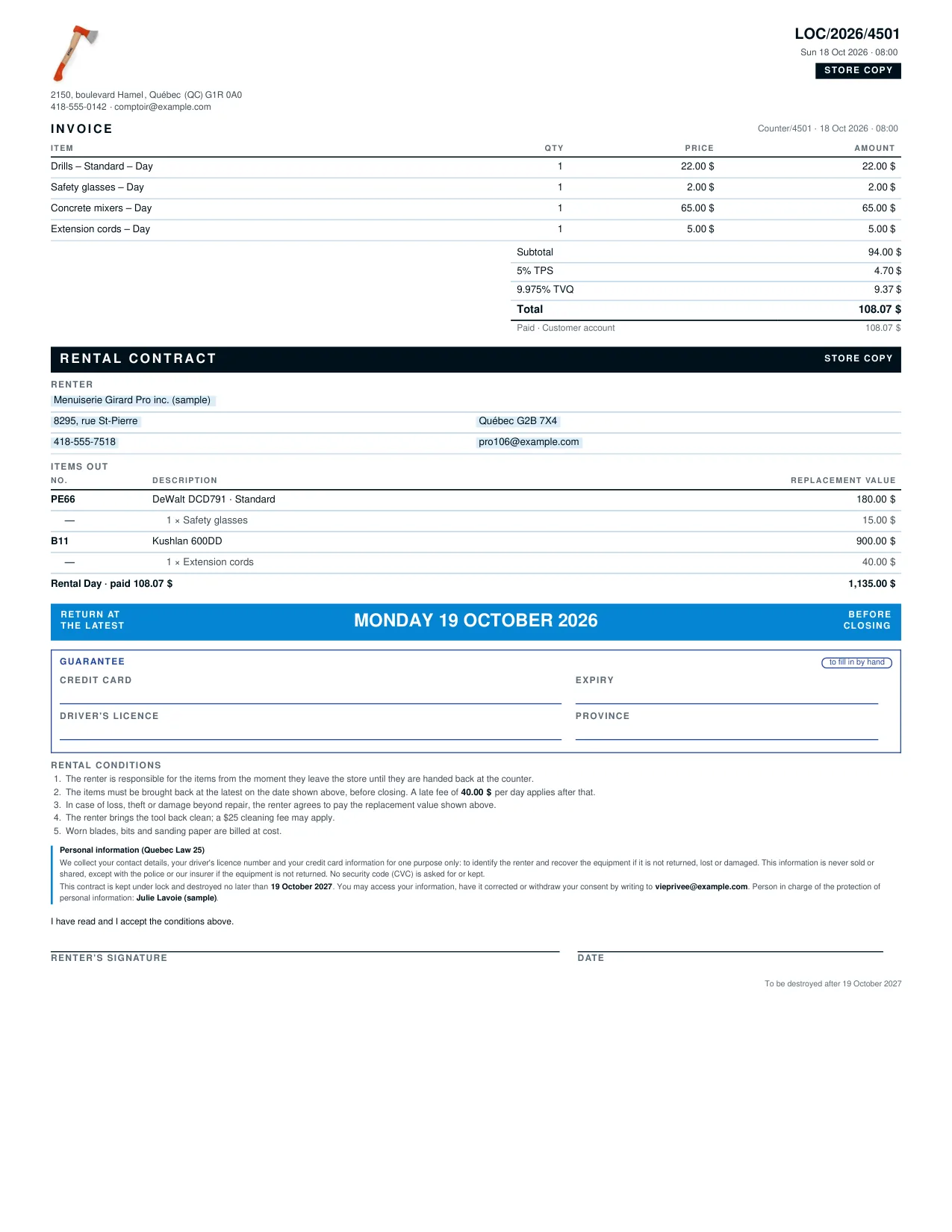
The contract prints at payment
- Two copies, store and customer, with the invoice on top.
- The replacement value locked in at signing.
- The return date in large print, impossible to miss.
- Late fees and your terms, written into the contract.
The deposit (credit card, driver's licence) is written by hand on the store copy, never in the system.
3
Returns in one click
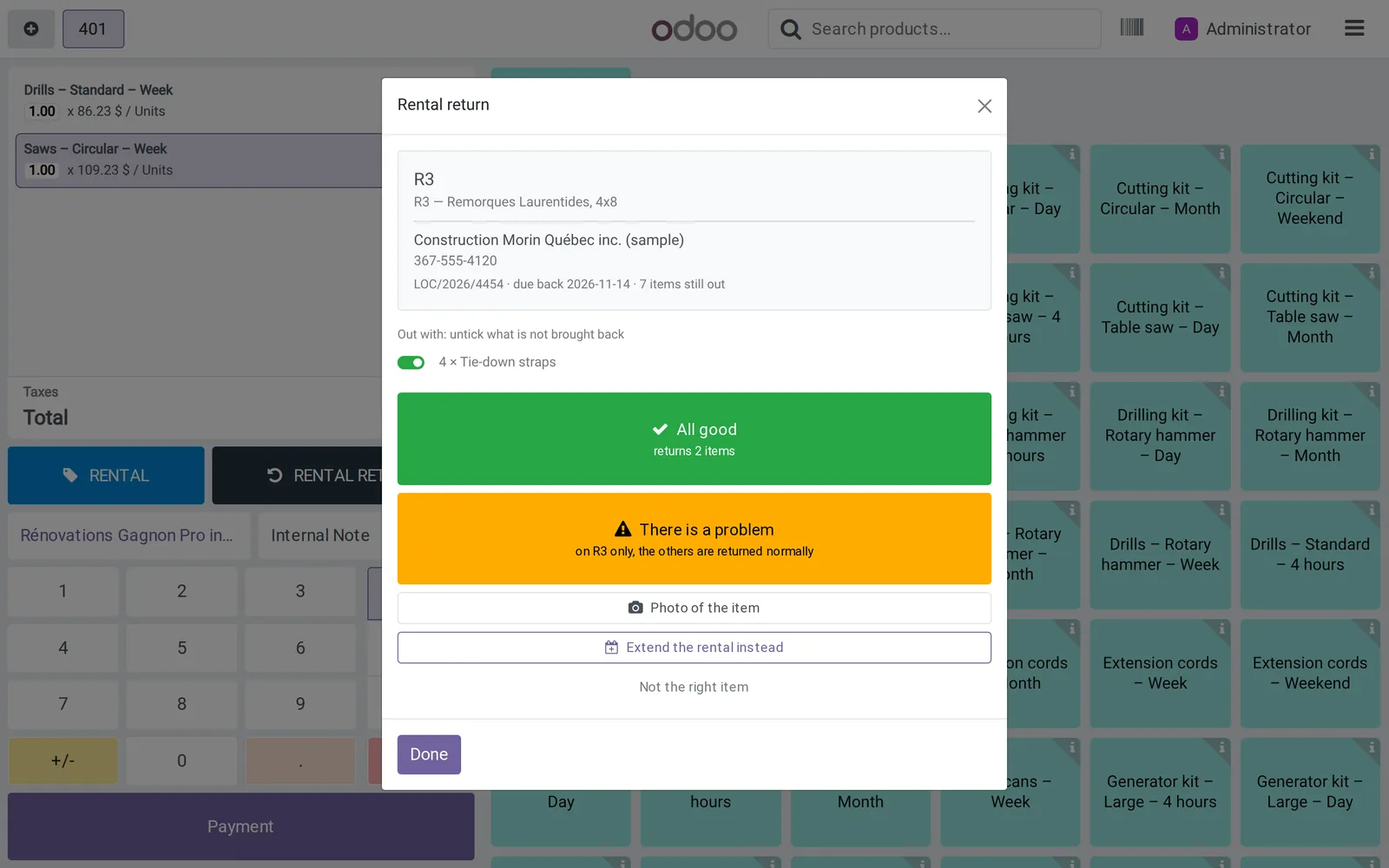
- Find the rental by item number, customer name or contract.
- Everything that went out together is offered at once.
- “All good”: everything comes back in. “There's a problem”: only that item goes to repair, the others come back in as usual.
- Late fees are added to the cart, calculated from the contract rate. The clerk can remove them.
At the office
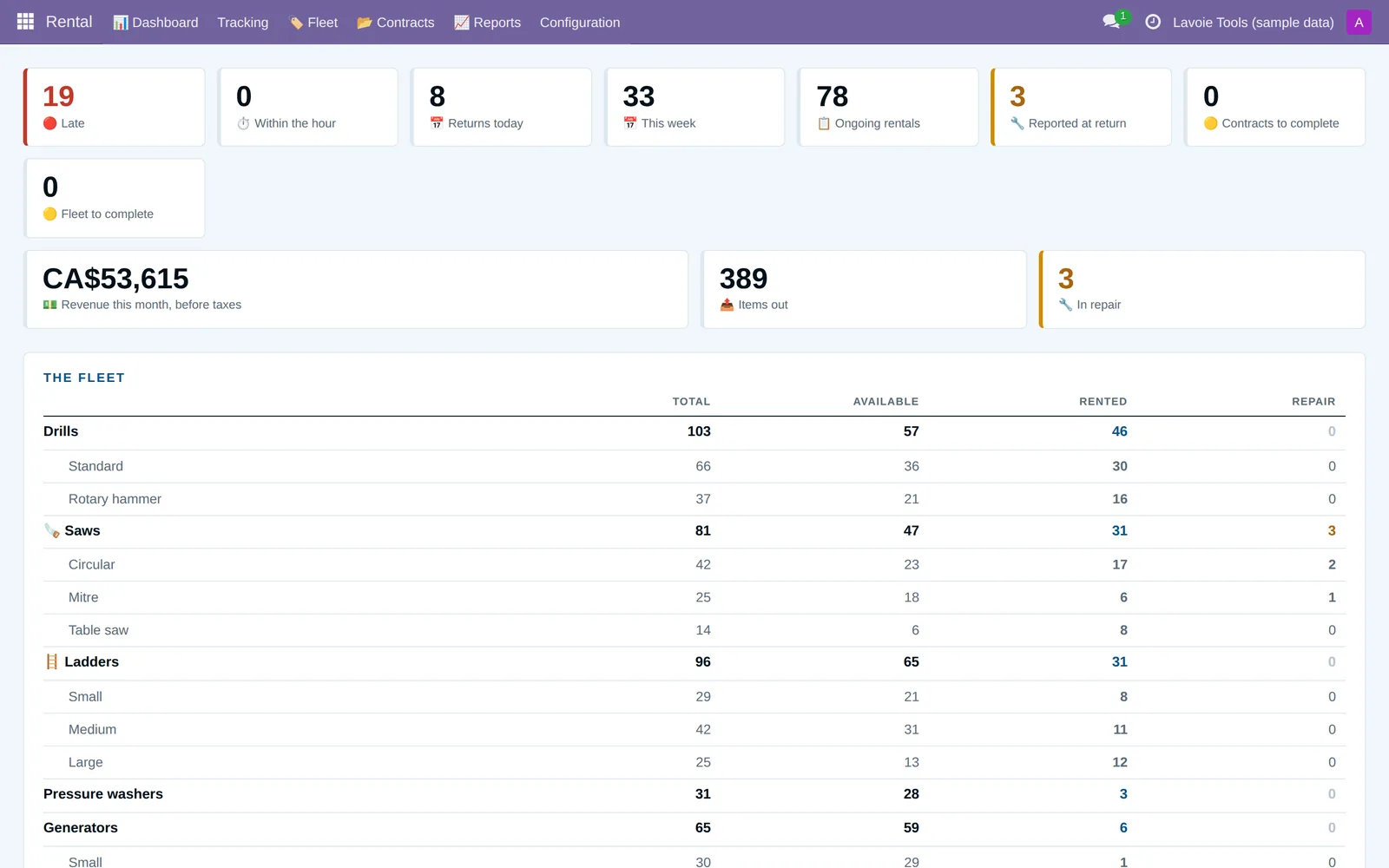
The owner's dashboard
Late returns, today's returns, current rentals and the month's revenue. Then the reports to decide what to buy more of and what to sell.
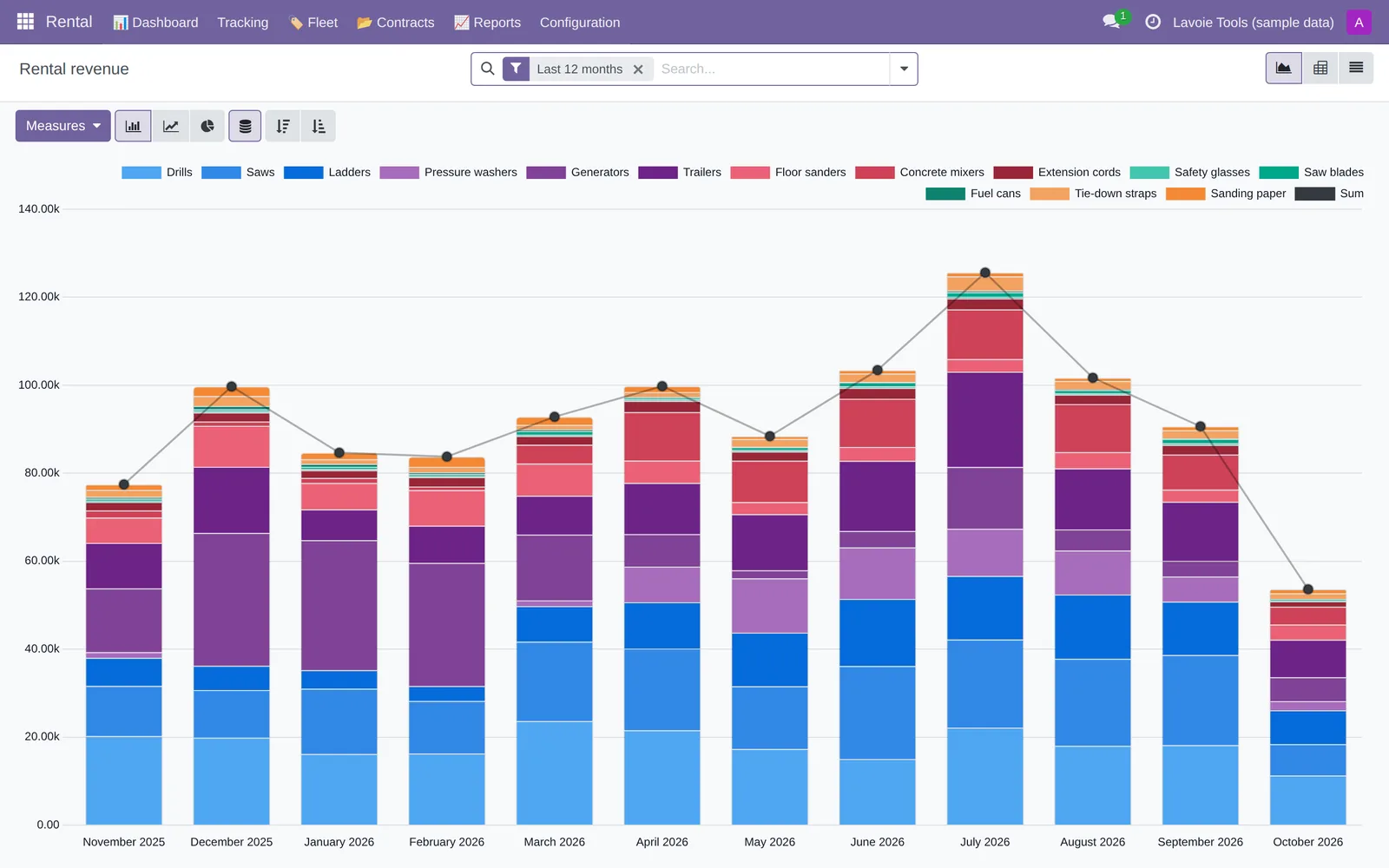
Revenue
By family, duration, season or clerk, compared with last year. Excel export.
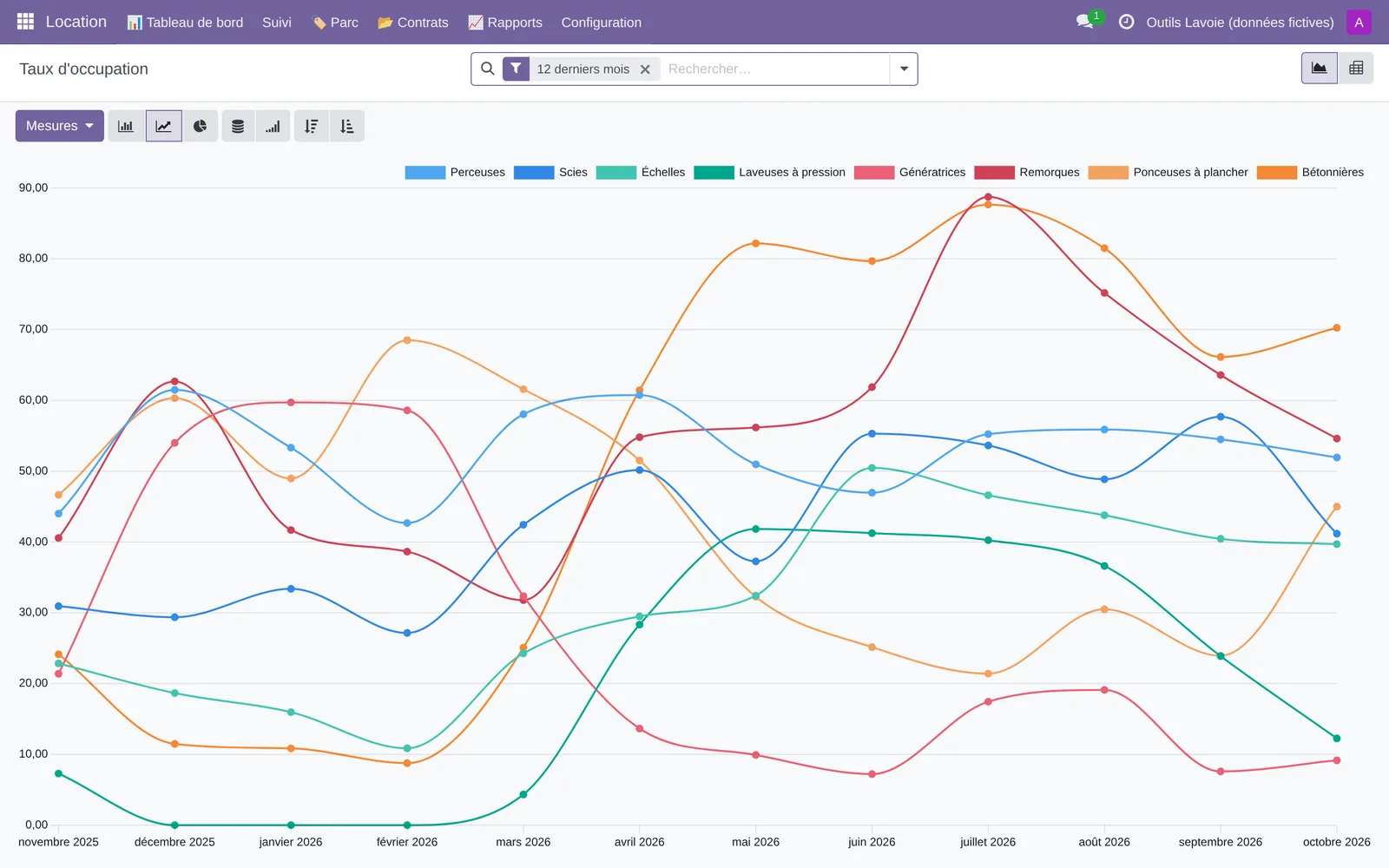
Utilization rate
High-demand items to buy more of, and the ones that never go out, to sell.
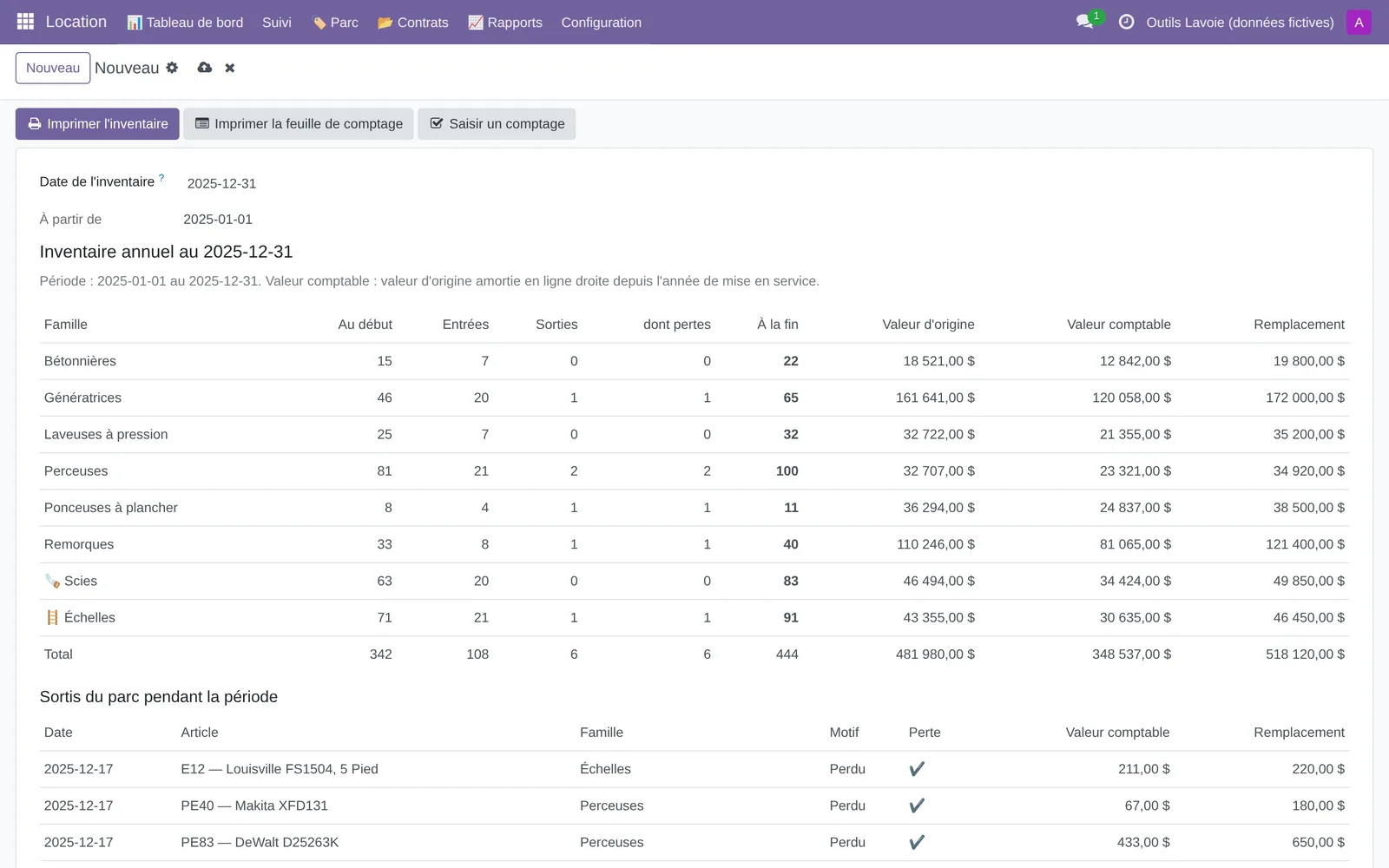
Annual inventory
Opening, additions, losses, closing and value, as a PDF for your accountant. Count sheet included.
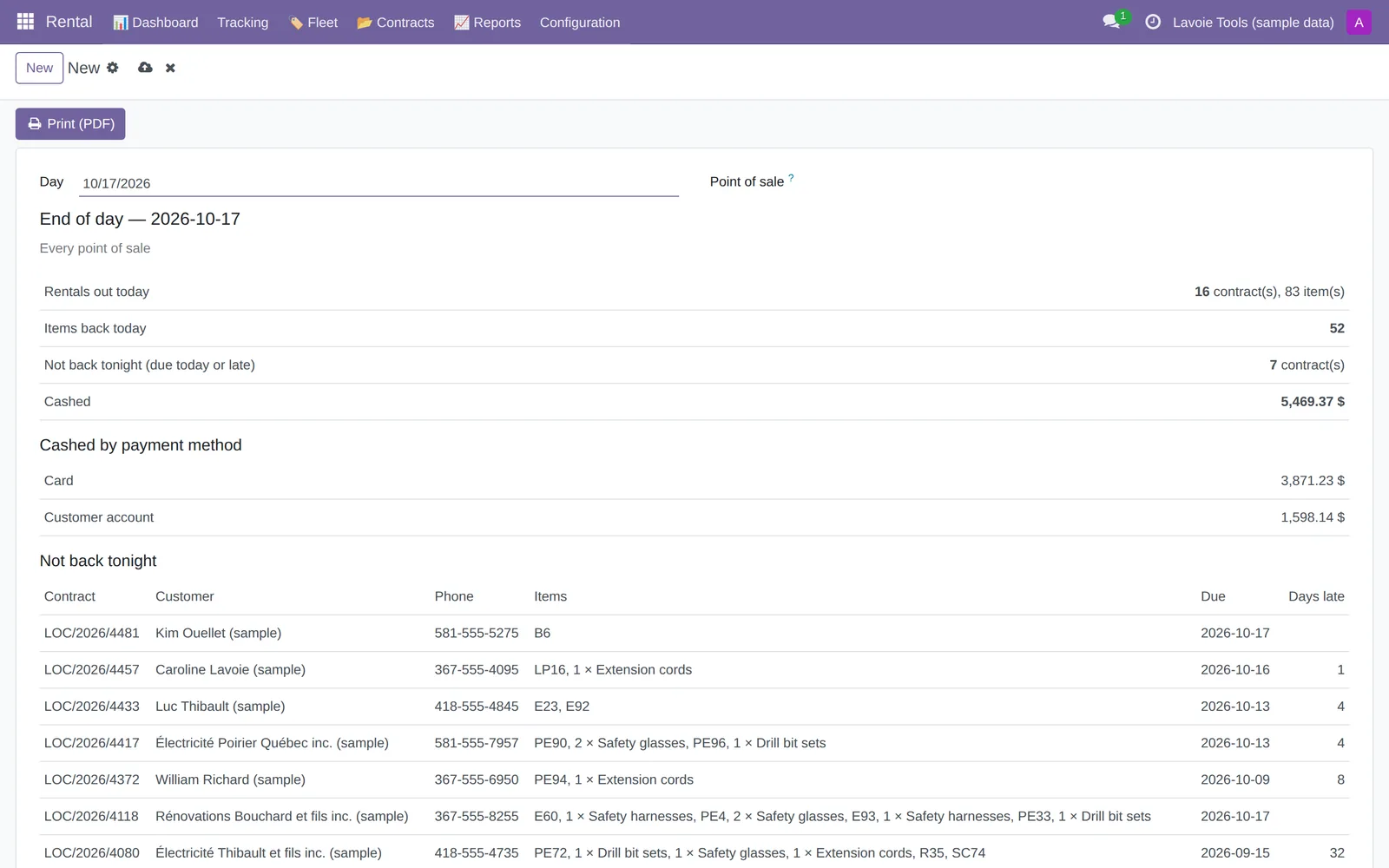
End of day
Rentals out, returns, cash collected, and what didn't come back tonight. One page to file with the till.
Three roles: Clerk, Accounting and Administrator. The clerk sees no amounts, except the cash collected at their own till.
And also
What makes the season easier
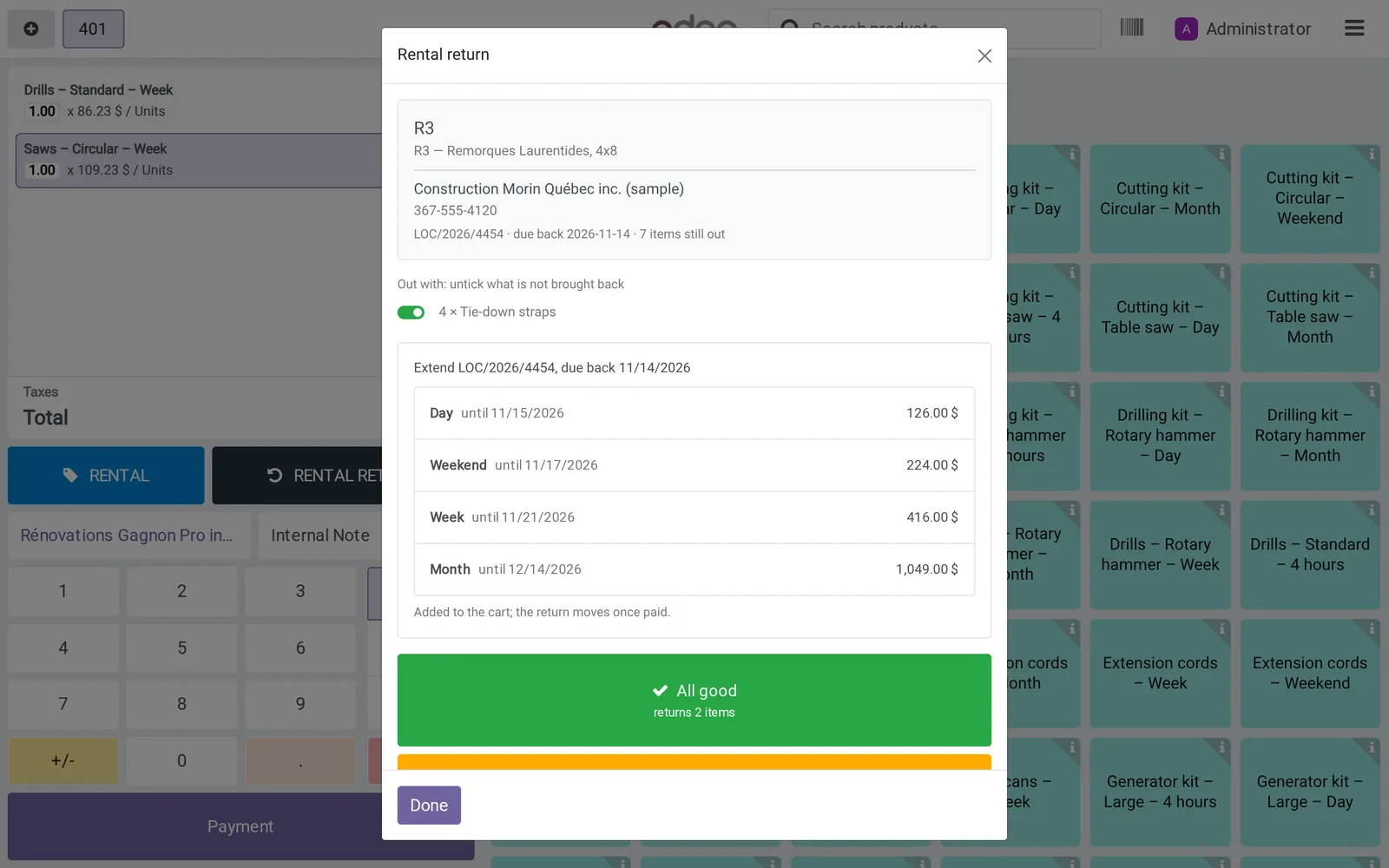
Extensions
The customer is keeping the equipment longer? Extend it at the counter, for rentals of a day or longer. Each duration shows its new return date and price; the return date moves once paid.
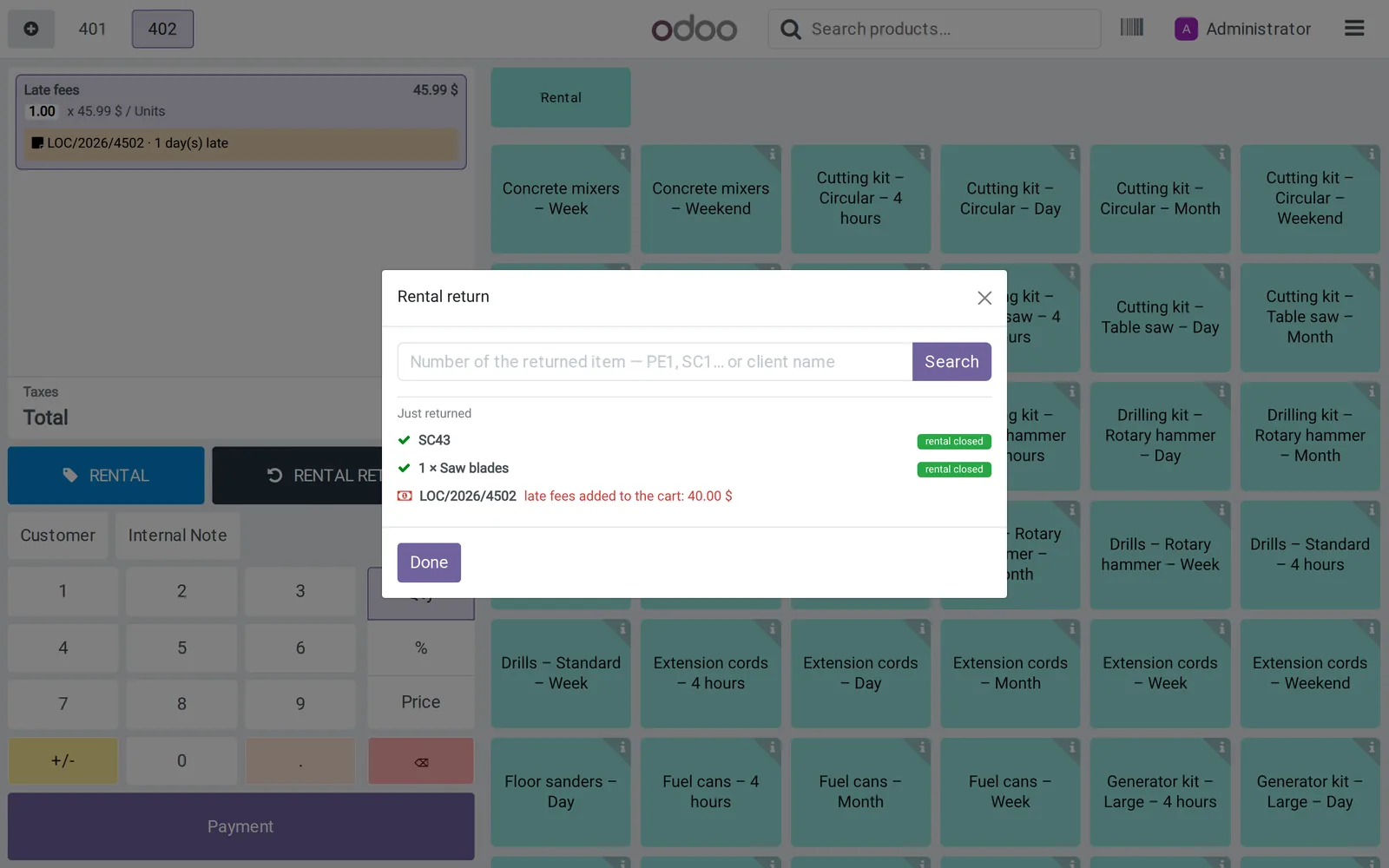
Late fees in the cart
When a late item comes back, fees calculated from the contract rate are added to the cart. The clerk can remove them.
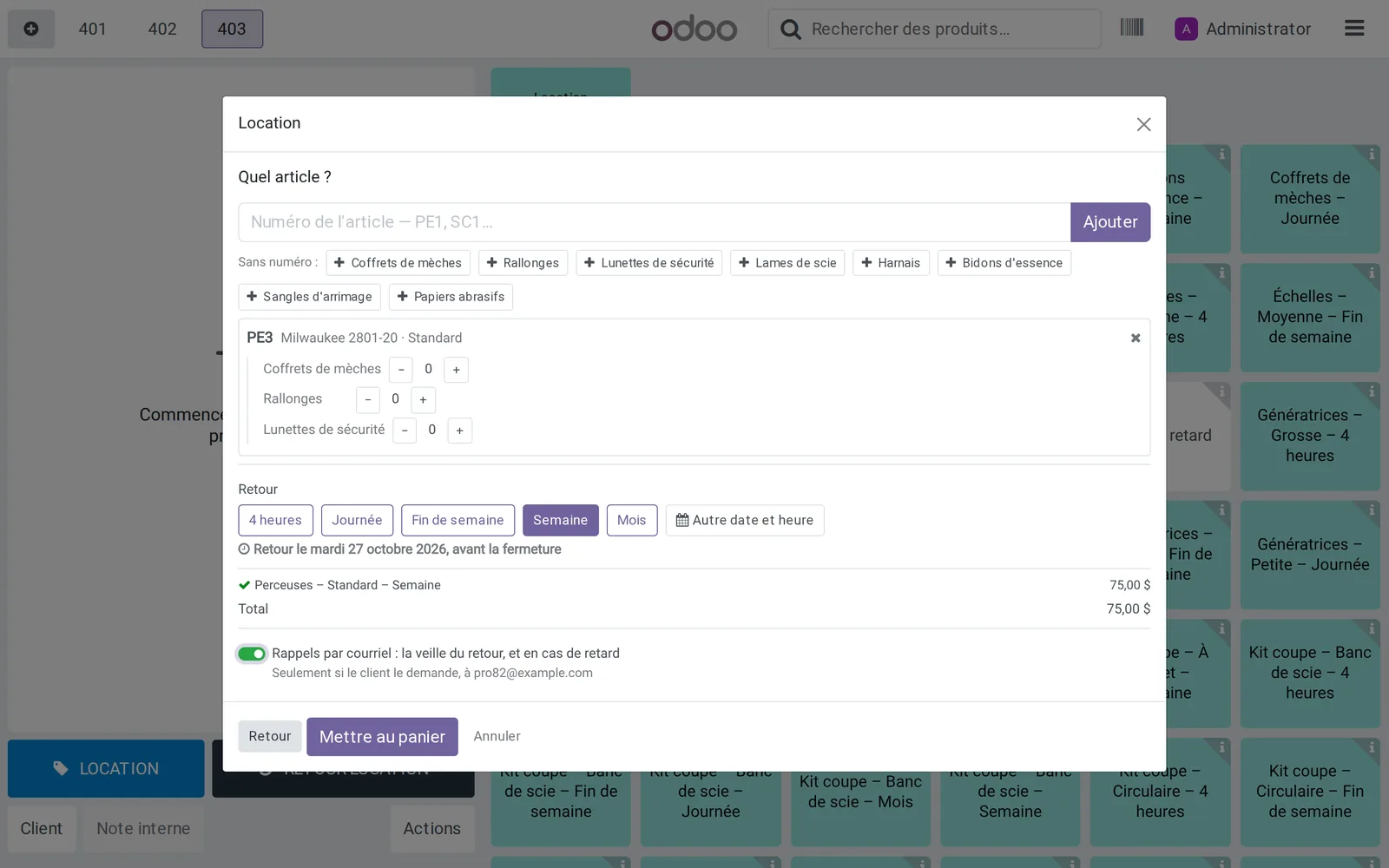
Email reminders
The day before the return, and when it is late, only if the customer agrees: the box is unchecked by default.
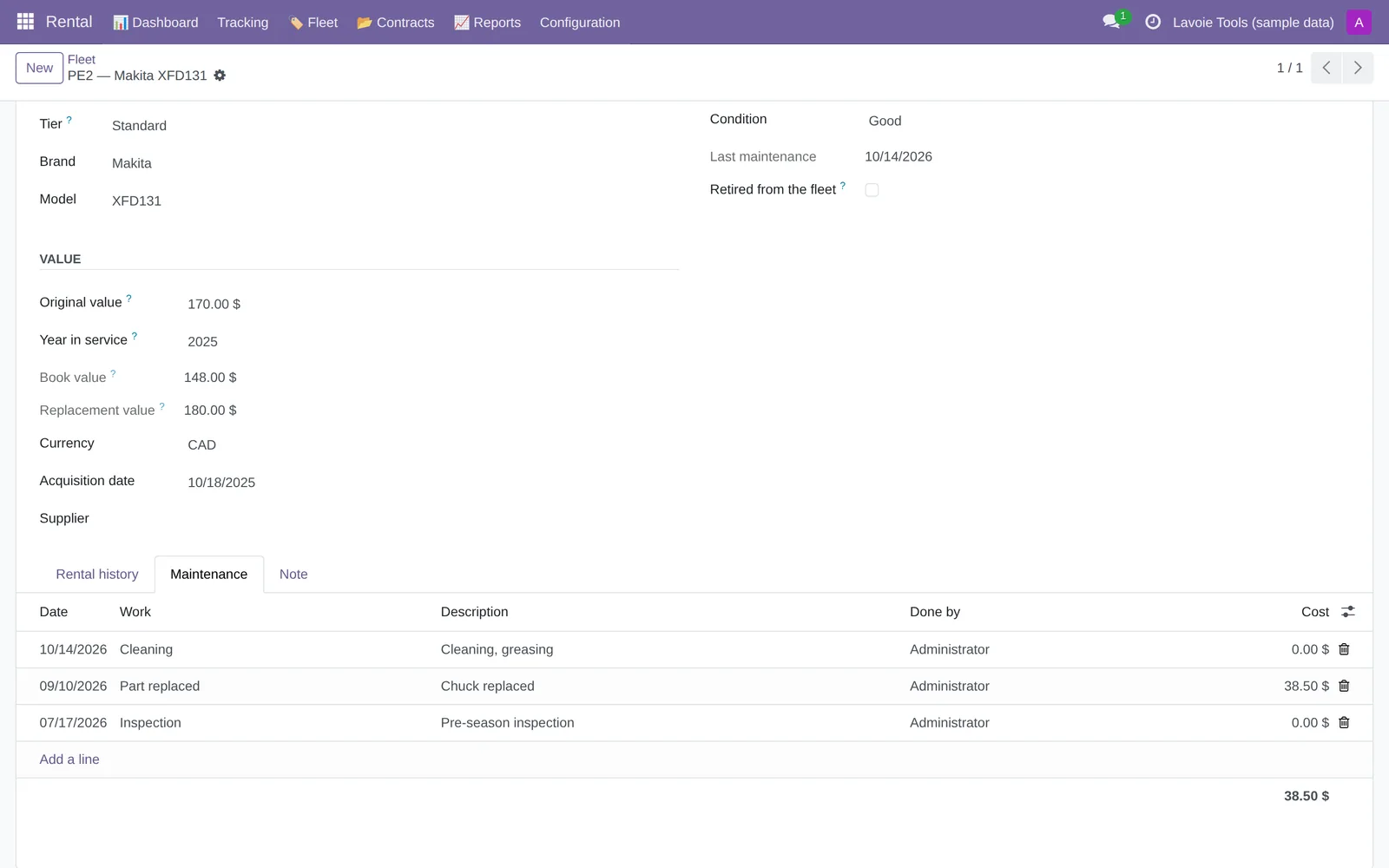
Maintenance log
Inspection, part replaced, cleaning: each item's history, with the cost.
Barcode labels
One label per item, on Avery 5160 sheets or a label printer, read at the counter with a barcode scanner. See a sheet
Photos on the contract
Photos at checkout and at return, attached to the contract: proof of the equipment's condition in case of a dispute.
Offline returns
Internet down? The return is done by item number and syncs as soon as the network is back. Offline, you can't look up a customer by name.
No programming
Set up in ten steps
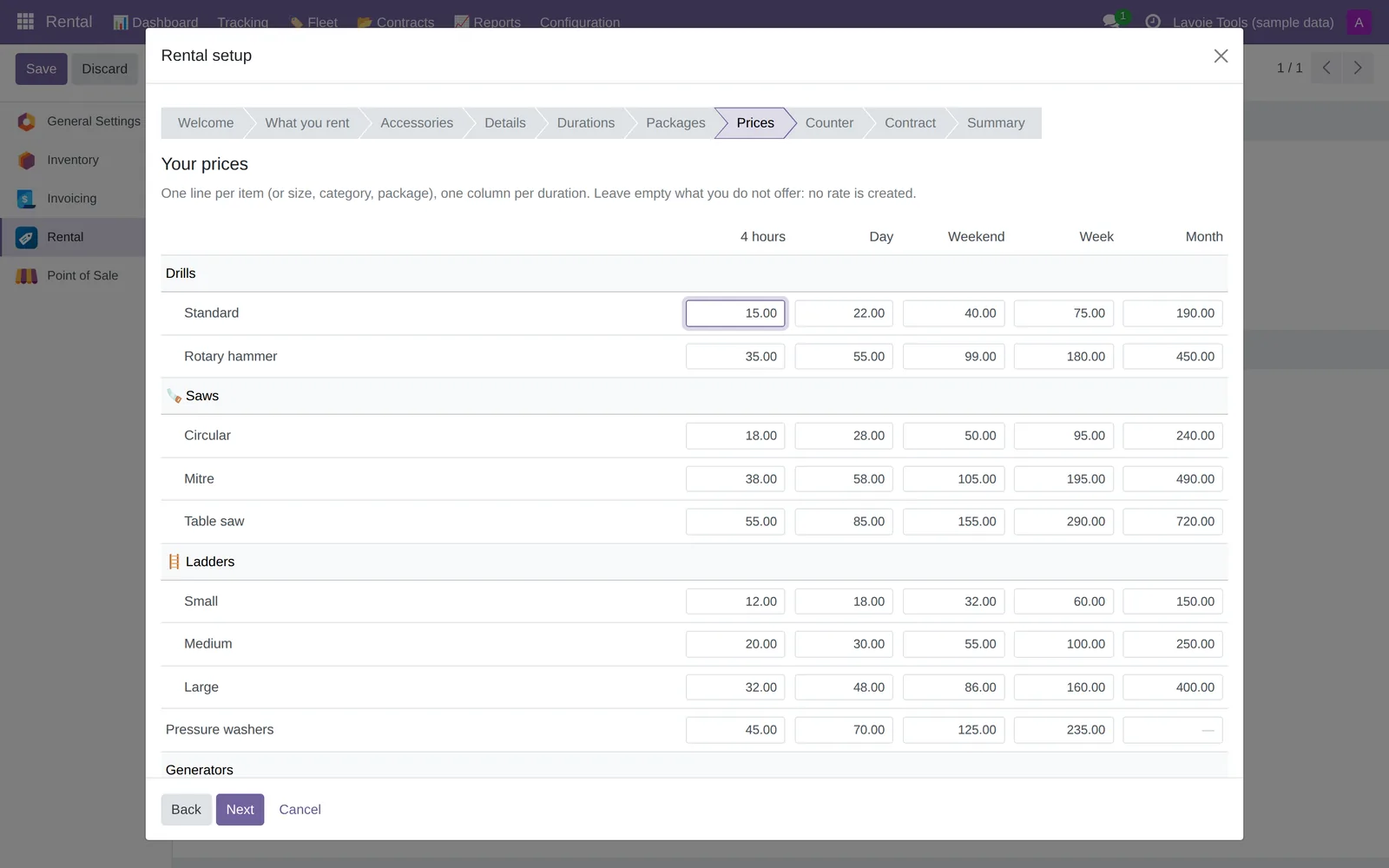
A wizard asks the questions in order: what you rent, accessories, details, durations, packages, the price grid (one row per item, one column per duration), the counter and the contract, then a summary.
Run it again to change a price or add a family. Nothing is deleted: whatever you remove is archived.
Your data
Built for Quebec's Law 25 from day one
No credit cards in Odoo
The deposit stays on the signed paper. The clerk only checks “ID shown”.
The destruction date is honoured
The contract states what the information is used for, who is responsible for it and when it will be destroyed. On that date, the expired contract is anonymized automatically.
One Odoo per customer
With our hosting, your data never shares a database with another business.
Hosted in Canada
Backed up daily, with an off-site copy.
Who it's for
Any business that hands out equipment at the counter
Born from a tool in daily use at a ski rental shop. The customer leaves with the equipment: it's a counter tool, it doesn't take online bookings.
- Skis and snowboards
- Bikes
- Kayaks and paddleboards
- Tool rental centres
- Event equipment
- By the hour, day or season
The offer in three steps
Free to start. We'll handle the rest if you like.
You can install it yourself on your Odoo. You can also let us handle the setup and hosting.
1 · The module
Free, for Odoo 18, 19 and 20 Community, on the Odoo App Store.
- Every feature on this page
- A wizard that guides you through setup, step by step
- Download it directly from the Odoo App Store
2 · Customization
The price depends on the work needed for your shop.
- Setup of your fleet and rates
- Import of your inventory from Excel
- Contract with your branding and your terms
- Adaptations specific to your business
3 · Hosting
Essential plan, for 1 to 2 counter stations.
- Turnkey: Odoo and the module installed for you, ready to rent
- Your own Odoo, hosted in Canada
- Daily local and off-site backups
- Updates and monitoring included
Your idea
An idea for the software?
Missing a feature at your counter? Suggest it. Every idea is read, and the best ones are added to the module, for every rental shop.
Frequently asked questions
Before you start
Do I need Odoo Enterprise?
No. The module runs on Odoo 18, 19 and 20 Community, the free edition. It builds on the Odoo point of sale, not on the Enterprise Rental app.
Is the module really free?
Yes. Free, under the OPL-1 licence: use it freely, without reselling it. You accept the licence when you first open the module.
Can it take online bookings?
No. It's a counter tool: the customer leaves with the equipment at the time of rental.
Where is my data?
With our hosting, on your own Odoo, in Canada, backed up daily with an off-site copy.
Is it available in English?
Yes. The module is available in English and French.
What if the equipment isn't returned?
Late fees and the replacement value are written into the signed contract. On return, late fees are added to the cart. If the customer agreed, an email reminds them of their return date. Late returns and losses each have their own report.
Where do I download it?
On the Odoo App Store, as Counter Rental, for Odoo 18, 19 and 20. Would you rather we install it for you? Write to us.
Let's talk
Tell us about your counter
Get the module, have it customized or have it hosted: tell us what you rent and how many stations you have. We reply within 24 business hours.
Learn more (in French)
- Counter Rental user guide — from installation to the first return
- Odoo pricing and plans — installation, hosting and support
- Odoo demo for retail stores
- Hosting Odoo in Quebec and Law 25
- Odoo Community or Enterprise?
Odoo is a trademark of Odoo S.A. Solution Prévost TI is not affiliated with Odoo S.A. The screenshots show a fictitious store, “Outils Lavoie”.